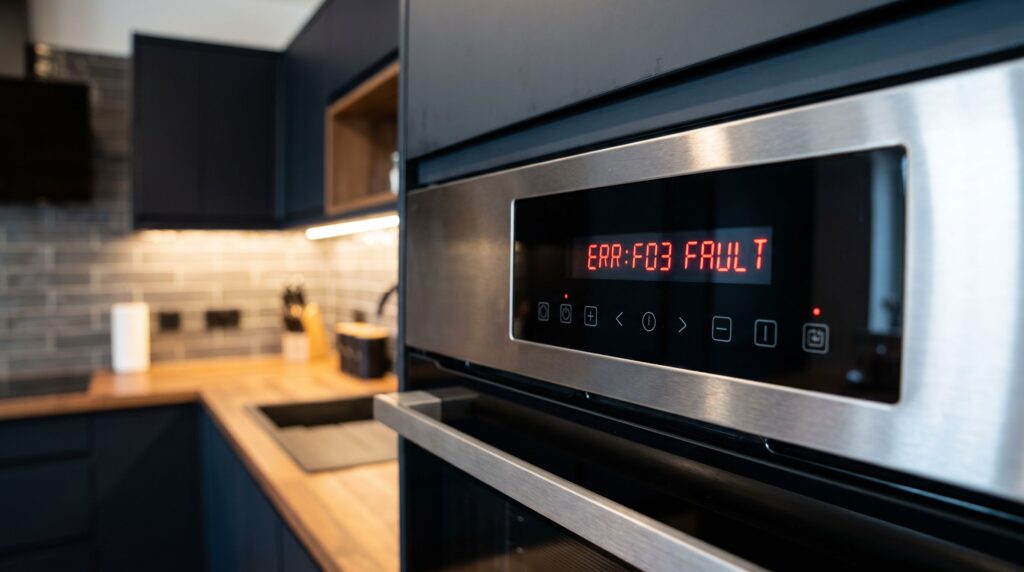
Modern electric ovens are equipped with self-diagnostic systems that display error codes and emit beeps when something goes wrong. If your oven is beeping persistently or showing a code like F1, F3, E0, or similar on the display, it’s telling you exactly which component or system has triggered the fault. This guide explains what common oven error codes mean, what causes them, and when you can fix the problem yourself versus when to call for service.
Tricity Repairs serves Coquitlam, Port Coquitlam, and Port Moody for oven and range repairs.
Why Your Oven Beeps
Oven beeping usually occurs alongside an error code, though not always. The beep is the control board’s way of alerting you to an active fault. Some beeps are informational (timer finished, preheat complete), but persistent or repeated beeping while the oven is off or in a fault state indicates a problem. Silencing the beep temporarily by pressing Cancel or Clear doesn’t resolve the underlying issue — the code will return.
Common Oven Error Codes and What They Mean
F1 — Control Board Fault
F1 is one of the most common oven error codes across GE, Whirlpool, and Frigidaire ovens. It indicates the control board (also called the ERC — Electronic Range Control) has detected an internal fault. This can be caused by a power surge, a failing relay on the board, or simply age-related component failure. F1 errors accompanied by the oven running uncontrollably hot are particularly urgent — the board may be stuck sending power to the bake element continuously. In this case, turn the breaker off immediately.
Sometimes F1 codes are temporary — caused by a power interruption — and clearing them by unplugging the oven for a few minutes resolves the issue. If F1 returns repeatedly, the control board needs replacement.
F2 / F3 — Temperature Sensor Fault
F2 and F3 (or E0, E1 on some brands) typically indicate a temperature sensor (oven probe) fault. F2 usually means the oven has detected an over-temperature condition — the sensor is reading too high. F3 usually means the sensor circuit is open (broken or disconnected), while F4 can mean the circuit is shorted.
The oven temperature sensor is a thin probe that extends into the oven cavity, usually visible at the upper back interior wall. It can be tested with a multimeter — a working sensor reads approximately 1080–1100 ohms at room temperature. If the reading is open (infinite) or very low (shorted), the sensor needs replacement. This is a DIY-friendly repair on most ovens. For more on oven issues, see: Oven Won’t Turn On? Simple Steps to Try.
F5 — Door Latch or Lock Fault
F5 codes relate to the door lock mechanism, most commonly seen when the self-clean cycle is initiated. If the door latch motor is stuck, the door lock switch is faulty, or the latch mechanism is obstructed, the control board cannot confirm the door is locked and will abort the cycle with an F5 error. Inspect the door latch visually for obstructions, and test the latch switch for continuity.
F7 — Stuck Key or Touchpad Fault
F7 indicates the control board is detecting a key stuck in the pressed position on the touchpad. This can be caused by a faulty touchpad (membrane keypad), food or liquid intrusion behind the keypad, or a faulty ribbon cable connection between the keypad and the control board. On some models, the touchpad and control board are a combined unit requiring replacement together.
Brand-Specific Codes
- Samsung: SE (touchpad fault), E-08 (temperature sensor), C-d0 (communication error)
- LG: F-9 (door lock), F-3 (sensor open), F-2 (sensor shorted)
- Bosch: E0–E9 series (various sensor and door faults)
- Maytag/Whirlpool: F1-F9 series across control board, sensor, and lock faults
For a broader guide to appliance error codes across all appliances, see: The Ultimate Appliance Error Code Cheat Sheet.
How to Reset an Oven Error Code
Before assuming a component has failed, try a reset. Turn the oven off at the circuit breaker, wait 2–3 minutes, then restore power. This clears the board’s memory and can resolve codes caused by power fluctuations. If the code returns immediately or within a few uses, the fault is genuine and the corresponding component needs diagnosis. See also: How to Reset Any Appliance.
When to Call a Technician
F1 codes with uncontrolled heating, F5 codes preventing self-clean from running, and F3/F4 sensor faults that affect temperature accuracy all warrant professional diagnosis. Tricity Repairs serves Coquitlam, Port Coquitlam, and Port Moody — call us at (604) 359-5952 for oven repair. Temperature sensor replacement is straightforward; control board replacement is more involved but well within the scope of a service call.
Summary
Oven error codes are the control board telling you exactly what’s wrong. F1 points to the control board itself; F2/F3 point to the temperature sensor; F5 to the door lock; F7 to the touchpad. Start with a circuit breaker reset — it clears codes caused by power events. If the code returns, match the code to its component and test or replace accordingly.