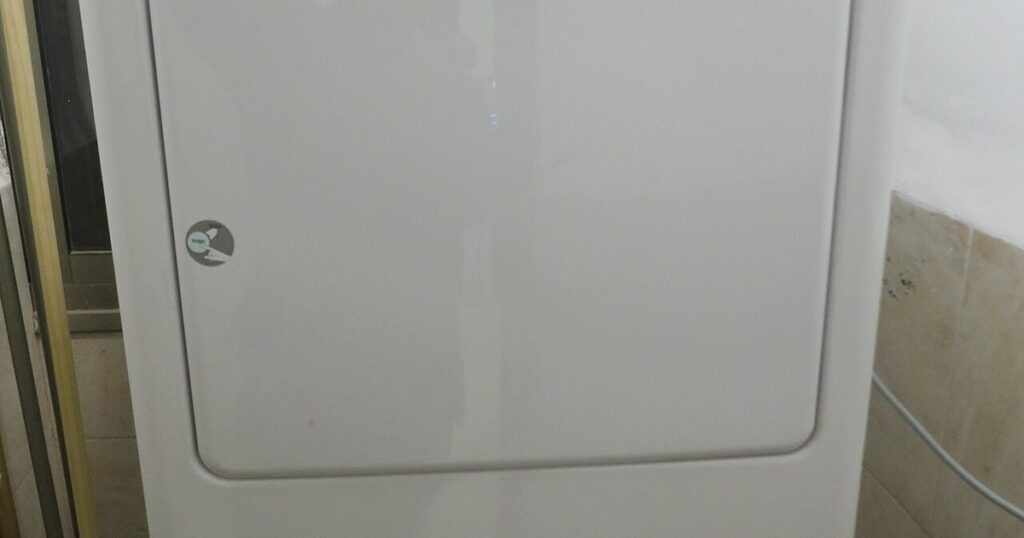
A dryer that won't start usually falls into one of three groups. The panel is completely dark. The panel lights up but nothing happens when you press Start. Or the dryer hums, clicks or runs for a moment and then stops. Each group points to different parts, so the first job is to work out which one you have.
Most of the quick checks below come straight from the manufacturers. Whirlpool and Samsung both list the same handful of causes before they suggest a service call: the Start button, a door latch, the breaker, a locked control panel and the cycle setting. If those all check out, the fault is usually inside the dryer, and our dryer repair team in the Tri-Cities can usually get to it same or next day when a slot is free.
Key Takeaways
- Sort the problem first: a dark panel points to power, a lit panel that ignores Start points to the latch, controls or settings, and a hum or click points to parts inside the dryer.
- Whirlpool says the Start, Push to Start or Hold to Start button should be held for two to five seconds. A quick tap may not be enough.
- Electric dryers use two household fuses or breakers and need a 240 volt supply, according to Whirlpool. Gas dryers use one.
- A Child Lock or Controls Locked light stops the Start button. On Samsung models sold in Canada, Child Lock stays on after the dryer powers off until you turn it off.
- A dryer that has power and passes every check but still won't run often has a failed thermal fuse, door switch, motor or control board. That needs a technician, and a blocked vent should be fixed at the same time.
- Tricity Appliance Repair covers Coquitlam, Port Coquitlam and Port Moody, same or next day when a slot is free.
Which kind of "won't start" do you have?
| What you see | What it usually means | Where to start |
|---|---|---|
| No lights, no display, no drum light | No power is reaching the controls | Breaker or fuses, the plug, then the power cord connection |
| Panel lights up, Start does nothing | The dryer has power but something is blocking the start | Hold Start longer, close the door firmly, check for a lock light and the cycle setting |
| Hums or clicks, drum doesn't turn | The motor is trying but can't run, or a part has failed | Stop pressing Start and book a diagnosis |
| Starts, then stops after a few seconds or minutes | A safety device or the motor is cutting out | Check the lint screen and vent, then book a diagnosis |
Write down which row matches before you call anyone. It is the first thing a technician will ask, and it often saves a lot of time on the visit.
Quick checks you can do in five minutes
- Hold Start properly. Whirlpool says the Start, Push to Start or Hold to Start button should be pressed and held for two to five seconds, and just tapping it may not give the motor enough time to engage.
- Use a dry fingertip on touch panels. Whirlpool also says to touch the panel with your fingertip, not your fingernail, and that moisture on the panel can stop the controls responding. Wipe it with a clean, dry cloth.
- Close the door until it latches. A door can look shut without being latched. Whirlpool notes that some models have an upper and a lower latch and both must be secure for the dryer to run. A sleeve or sock caught in the door or the latch is enough to stop it.
- Look for packing material on a new dryer. Whirlpool says to make sure all packing and shipping material has been removed and nothing is blocking the latch.
- Check the cycle. Whirlpool says the dryer won't start if it is set on the Wrinkle Shield option on some models. Pick a normal Timed Dry or automatic cycle and try again.
- Look for a lock light. More on this below, because it catches a lot of people out.
A locked control panel or Child Lock
Many dryers have a lock that makes the buttons ignore you. On Whirlpool dryers, the Controls Locked feature stops the controls responding to any touch, and you turn it off by holding the Control Lock button for three seconds. On some Whirlpool models the same reset is a three second hold on the Cycle Signal button instead.
Samsung calls it Child Lock. Samsung Canada says that when it is on, it disables most of the control panel buttons except essentials like Power, and that it stays active even after the machine powers off until someone turns it off. It uses a two button combination that is usually labelled on the panel. Samsung says to press and hold those two buttons for 3 or more seconds. Look for a lit icon that looks like a lock or a small face before you assume the dryer has failed.
No lights at all: check the power
A completely dark dryer is usually a power problem rather than a broken dryer. Whirlpool says electric dryers use two household fuses or circuit breakers, so make sure both fuses are intact and tight, or reset the breaker. It also says electric dryers need a 240 volt supply and won't operate correctly without it. Gas dryers use one fuse or breaker. If the problem continues after a reset, Whirlpool's advice is to call an electrician.
- Turn the dryer breaker fully off, then back on. A tripped breaker can sit in a middle position that looks on.
- If the dryer is plugged in, make sure the plug is fully seated. Dryers get pushed back against the wall, and the plug can work loose.
- If the breaker trips again as soon as you start the dryer, stop resetting it. Our guide to a dryer that keeps tripping the breaker covers what that usually means.
- If a 240 volt dryer runs the drum but won't heat, one of the two breakers may be off. That is a different problem from a no start, and our guide to a failing heating element covers it.
The panel lights up but the drum won't turn
Samsung suggests a simple test for this. Select Time Dry, touch and hold Start, and watch the timer. If it starts at 40, it should tick down to 39 after a minute. If the timer doesn't count down after 1 to 2 minutes, the cycle didn't actually start, so check the door and the Child Lock and try again. If the timer counts down but the drum still isn't turning, Samsung says it usually means service is required.
Samsung also says to check for an error code first. If the panel is showing a code or blinking lights, something may be preventing the dryer from starting, such as the door not being closed. Look the code up in your manual or on the manufacturer's site before you do anything else. If the drum turns but slowly, or you hear the motor running with no drum movement, the belt may be the issue. Our article on signs your dryer belt is worn out explains what to listen for, and the dryer not spinning guide covers the rest.
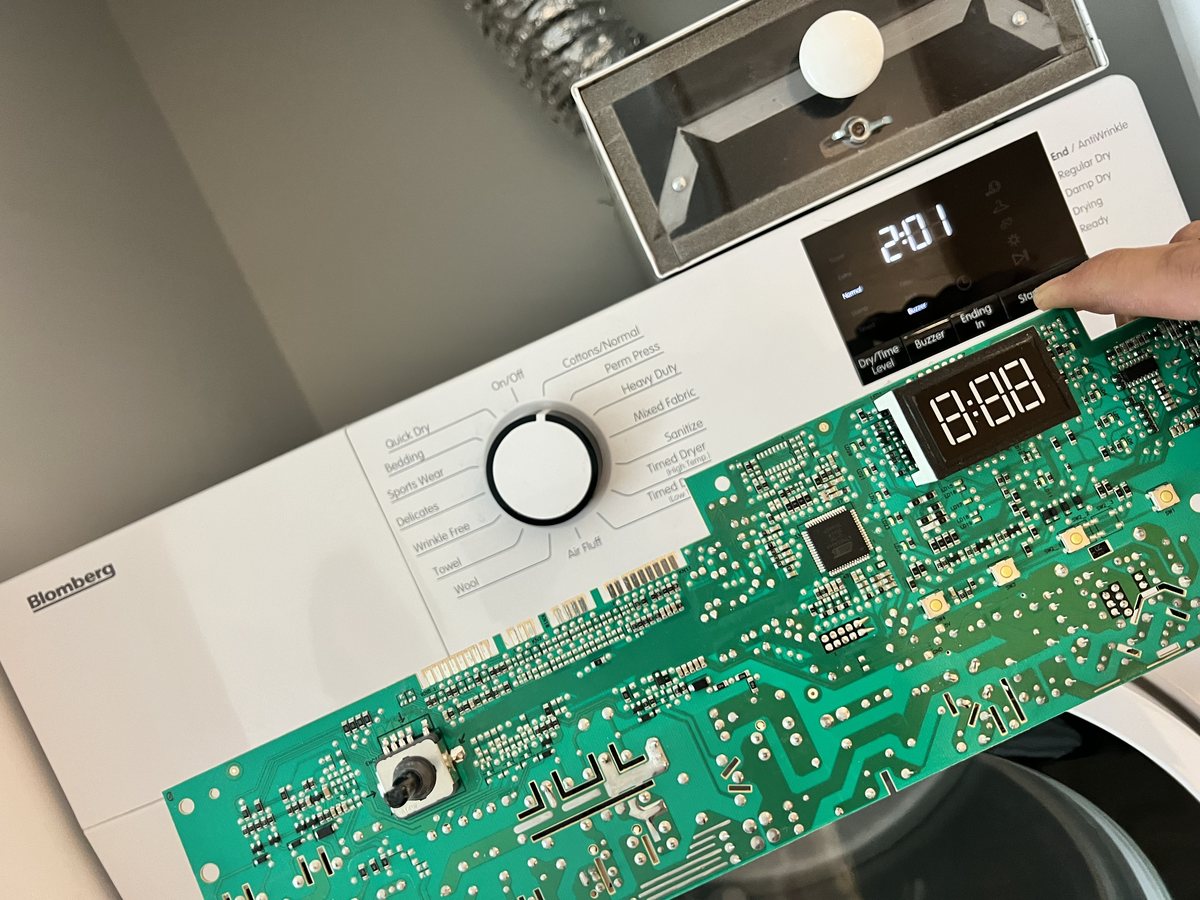
The parts that usually fail
When the power is good, the door is latched, nothing is locked and the dryer still won't run, the cause is almost always one of a few parts. These are the ones we test first on a no start call.
| Part | What it does | Typical sign when it fails |
|---|---|---|
| Thermal fuse | A one time safety fuse that cuts power if the dryer overheats | Dead or no start after a long, hot cycle. It doesn't reset, it has to be replaced |
| Door switch | Tells the control the door is closed | Panel lights, Start does nothing, drum light may stay on or off with the door shut |
| Start switch or touch panel | Sends the start signal | Start never responds, even with the lock off and a dry fingertip |
| Drive motor | Turns the drum and usually the blower | A hum or click when you press Start, then nothing |
| Main control board | Runs the cycle and the safety checks | No power at the panel, or errors and cut outs that come back after a reset |
A blown thermal fuse is the one to take most seriously. It almost never fails on its own. It usually blows because hot air couldn't get out, and if the vent is still blocked, a new fuse will often blow again. That is why the airflow should be checked whenever a thermal fuse has blown, not just the fuse.
Why the vent matters even when the problem is a no start
Technical Safety BC says that when a dryer vent system is clogged with lint, airflow is restricted, the dryer has to work harder and it overheats, which can lead to a fire. It also says improper venting poses a carbon monoxide risk on gas dryers, and recommends that dryers and all fuel burning appliances are maintained or serviced by a licensed gas contractor at least annually, or as the manufacturer's instructions say.
- Clean the lint screen before every load. It is the easiest thing you can do for a dryer.
- Look at the outside vent hood while the dryer runs. You should feel a strong flow of warm air. A weak puff means a blockage somewhere in the duct.
- Check the duct behind the dryer for crushing or sharp kinks, especially after the dryer has been moved.
- Our guide to preventing lint buildup walks through a full vent clean.
Gas dryers: one extra safety step
A gas dryer still needs electricity to start, so the power checks above apply. If you smell gas near the dryer at any point, stop troubleshooting. If you smell gas, leave the home right away without using light switches, phones or anything that could spark, then call FortisBC at 1-800-663-9911 or 911 from outside. FortisBC keeps its full gas safety advice on its website. Don't try to reach the gas valve or burner parts yourself.
When to stop and call a technician
- The panel is dark and the breaker and plug are fine.
- The dryer hums, clicks or smells hot when you press Start.
- It passed the Samsung timer test, or every check above, and the drum still won't turn.
- It started and stopped more than once, or the breaker trips when it starts.
- You have a gas dryer and anything about it seems off.
Internal dryer parts sit behind panels next to live 240 volt wiring, and on gas models next to the burner. Testing them needs a meter and the wiring diagram for your model. If you get this far, it is a job for a technician.
Dryer repair in Coquitlam, Port Coquitlam and Port Moody
Tricity Appliance Repair works on all major dryer brands in Coquitlam, Port Coquitlam and Port Moody. The visit starts with a $100 diagnostic, which is credited to your labour when you book the repair. If you decide not to go ahead, you pay the $100 and nothing more. Every repair is covered by our 3-month warranty on parts and labour. Our pricing page has the details.
Before you call, have the model number ready. It is usually on a label inside the door opening or on the back of the dryer. Tell us which of the four symptoms above you have, whether it is gas or electric, and whether the breaker has tripped. To book, use the online booking form or call (604) 359-5952. Same or next day service is available when a slot is free.
Frequently Asked Questions
Why does my dryer have power but won't start? The most common reasons are a door that isn't fully latched, a locked control panel, a Start button that wasn't held long enough, or a cycle setting the dryer won't start on. Whirlpool lists all of these. If they check out, a door switch, thermal fuse, motor or control board is the likely cause.
Is there a reset button on a dryer? Most home dryers don't have one reset button. The closest thing is resetting the breaker, or cutting power for a short time. Samsung suggests turning the dryer off at the breaker or unplugging it for 60 seconds if you can't turn Child Lock off from the panel. A blown thermal fuse doesn't reset. It has to be replaced.
Can a clogged vent stop a dryer from starting? Not directly, but it is the usual reason a thermal fuse blows, and a blown fuse will stop the dryer. Technical Safety BC links lint buildup in the vent to overheating and fire risk, so clear the vent before you replace the fuse.
Is a dryer that won't start worth repairing? Often, yes. The parts behind a no start, such as a thermal fuse, door switch or start switch, are usually simpler than a motor or drum repair. The $100 diagnostic tells you what has failed and what the repair will be before you decide.
Featured photo: זור987 via Wikimedia Commons, CC0. In-body photo: our own job photo.